Dates and time: time zones and formats
Follow your browser or set your own time zone and formats, what your readers see, and how to type story dates.
Written By Tailored Folio
Last updated About 7 hours ago
Dates and time decides the time zone and the date and time formats used in the app, in our emails and on the Folios you share. Open your avatar menu, then Settings, then Preferences. Changes save as you go.
What's in use right now
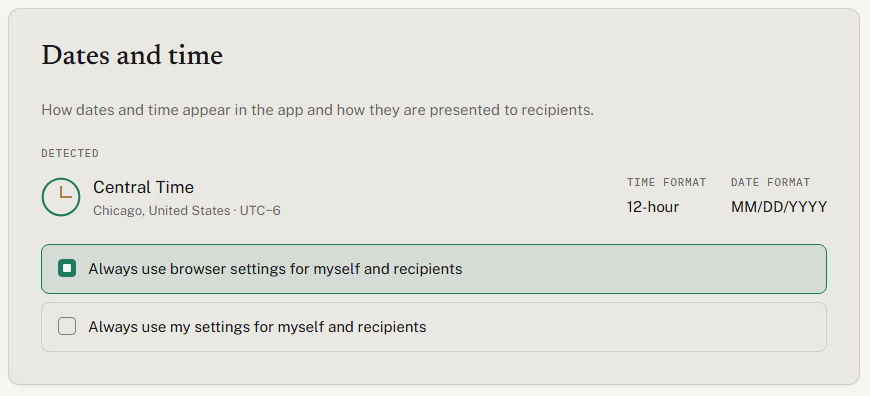
The top of the section shows what's in use. It's labeled Detected when it comes from your browser, and My settings when you've chosen your own. You see the time zone's name, its city and country, its offset from UTC, and the time and date formats. The offset is worked out for today's date, so it stays right when the clocks change.
The two choices
Always use browser settings for myself and recipients. This is where everyone starts. Your browser decides for you, and each reader's browser decides for them: its language sets the date order and 12 or 24 hour time, and its time zone sets the times.
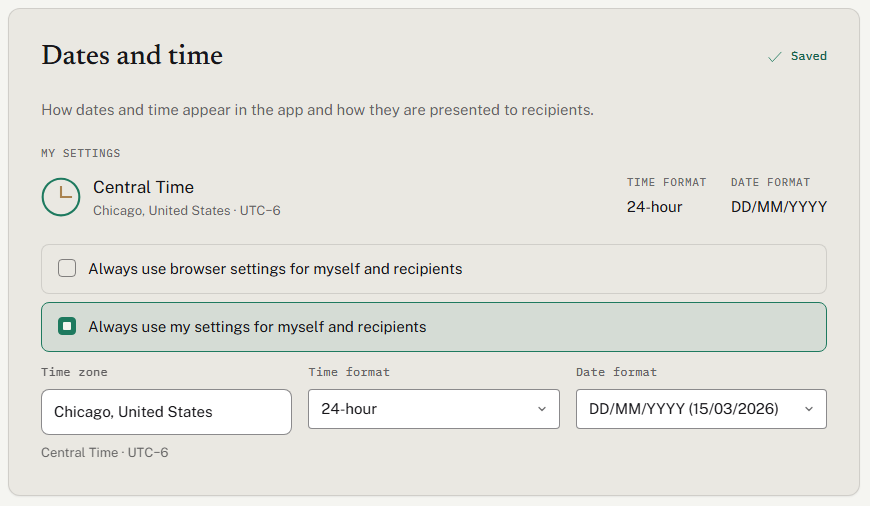
Always use my settings for myself and recipients. You pick a Time zone, a Time format and a Date format, and they apply to you and to everyone who opens your Folios. The fields start filled in with what your browser detected.
The choices for each format:
Time format: Follow the browser, 12-hour or 24-hour.
Date format: Follow the browser, MM/DD/YYYY (03/15/2026), DD/MM/YYYY (15/03/2026) or YYYY-MM-DD (2026-03-15).
You can mix them. With your own time zone and both formats on Follow the browser, only the time zone is fixed: each reader's browser still picks how dates and times are written.
If you had saved a time zone before this section existed, you start on Always use my settings with that time zone, and both formats on Follow the browser.
Finding your time zone
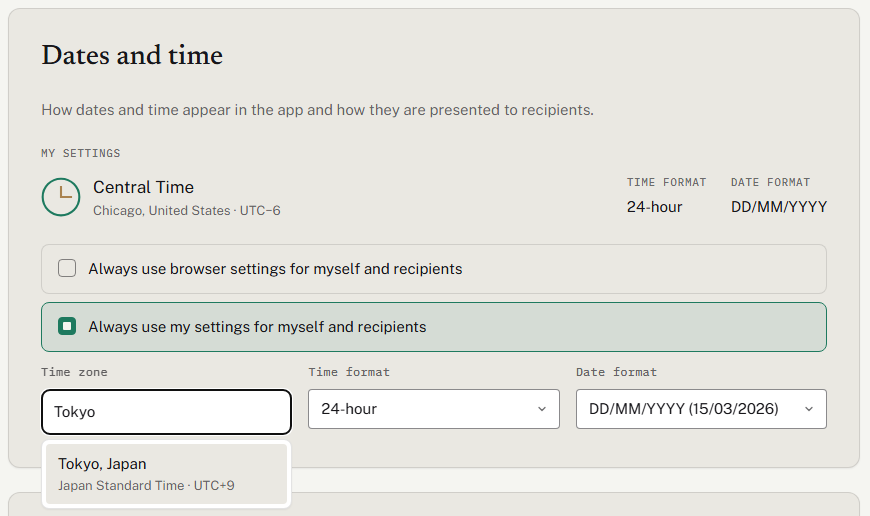
Type any part of it in Time zone: a city ("Chicago"), a country ("United States"), the zone's name ("Central Time") or its ID ("America/Chicago"). Each match shows the city, country, zone name and current UTC offset. If nothing matches, the list says so. It works with the keyboard: arrow keys to move, Enter to pick, Escape to close.
How dates read
A month and year always read like Mar 2025, whatever date format you use, because a written month can't be misread.
A full date is always written with two-digit day and month and a four-digit year: 03/15/2026, never 3/15/26.
Story dates show only as much as you gave: a year as 2024, a month as Mar 2025, a day as a full date. A story that's still going reads Mar 2025 to Present.
The data export always uses YYYY-MM-DD, so other tools can read it.
What your readers see
On a Folio you've shared, every time names its time zone, for example "5:00 PM CT", including the time a link stops working on its last day. On browser settings, that's the reader's own time zone. On your settings, it's yours, so a reader in another country sees your time zone, named.
Changes reach Folios you've already shared straight away. You don't need to publish again.
Emails
An email has no browser to ask. If you chose your own settings, emails use them. If you follow the browser, the date format comes from the language your browser was set to when you signed up, and times are in UTC, labeled UTC.
Typing story dates
A story's Start and End take a year, a month or a full date, written however you like: 2024, March 2024 or a numeric date. Numeric dates are read in the date order that applies to you, so if you use DD/MM/YYYY, type the day first: 03/04/2025 is 3 April 2025. YYYY-MM-DD, such as 2025-04-03, always works.
Was this helpful?
Still need help? Ask the team