AI & writing: how Tailored Folio drafts for you
Writing preferences and glossary, where the AI helps, what it reads, privacy, and daily limits.
Written By Tailored Folio
Last updated About 7 hours ago
Tailored Folio can draft for you: it fills in a story's details, writes variations for a particular reader, and reads jobs out of a resume. AI & writing is where you tell it how you like things written and which words your work uses. Open your avatar menu, then Settings, then AI & writing. Changes save as you type.
Writing preferences
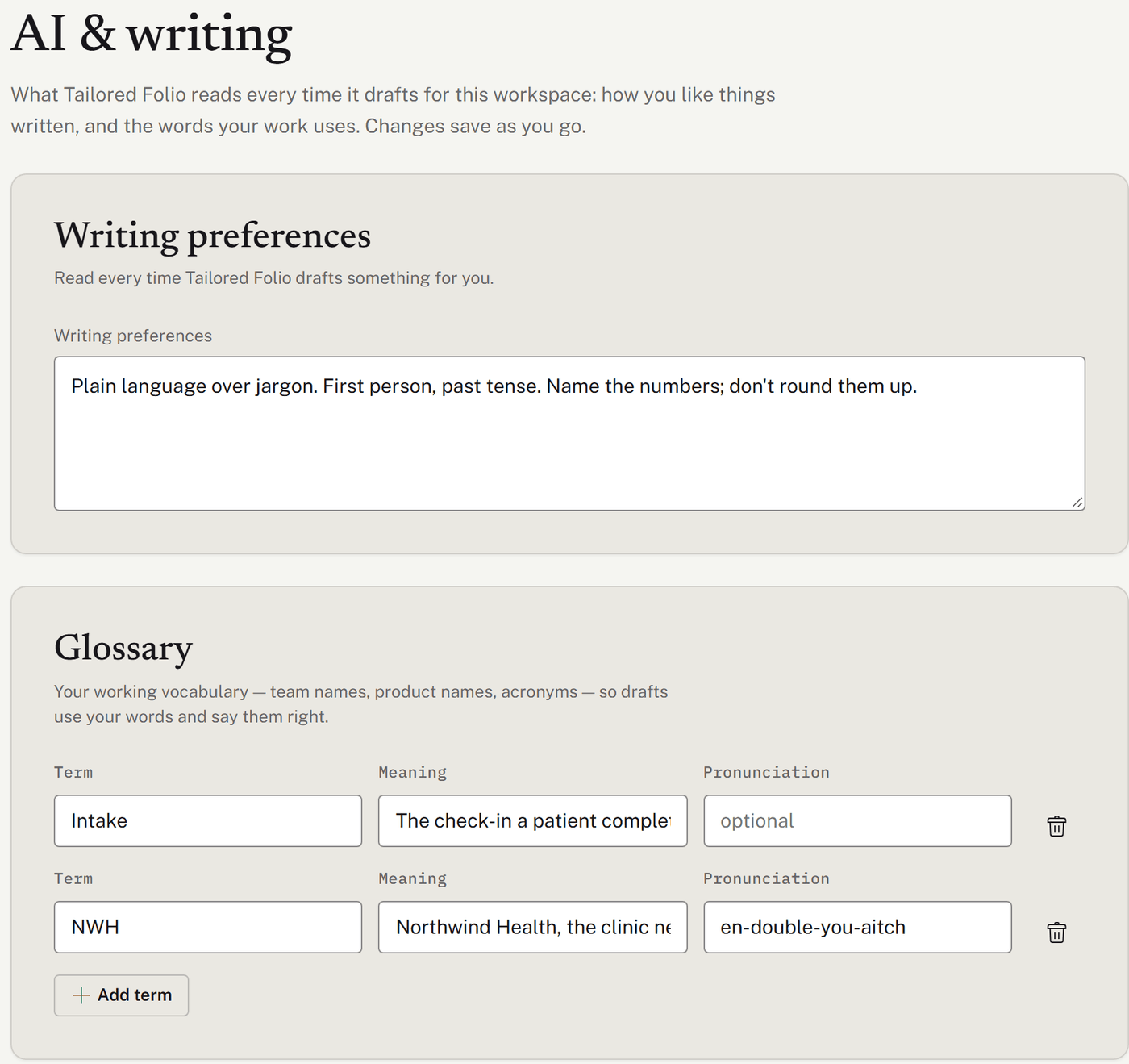
Write down how you like things written, in your own words: for example, "Plain language over jargon. First person, past tense." Tailored Folio reads this every time it drafts something for you. You can write up to 2,000 characters.
Glossary
Your working vocabulary: team names, product names and acronyms, so drafts use your words and get them right. Each entry has a Term, its Meaning and an optional Pronunciation for your own reference. Choose Add term for another, up to 200. Only the terms that appear in what's being drafted are sent along with it.
Where the AI helps
Saving a story. It fills in Tags, Demonstrates and The work, and suggests Behind the story for you to accept. See Stories: writing down your work.
Drafting a variation. It writes the variation for the purpose and reader you describe. The draft goes straight into the variation, marked as drafted by AI. Edit anything; nothing can be shared until you save it with a confidentiality. Once you've edited, Polish tidies the wording, and Try again starts a fresh draft.
The Evidence matrix (Pro). For a Folio linked to an opportunity with a role description, it lines up the role's requirements against what your stories show.
Importing a resume. It reads the employers and roles out of a PDF, for you to check before anything is saved. See Your career.
What the AI reads
Each task gets only what it needs:
Filling in a story: the story's details and text, your writing preferences, glossary, employer history and names to keep private.
Drafting a variation: the story, Behind the story, its skills, the purpose and opportunity you chose, your writing preferences, glossary, employer history and headline. The organization's name is included only when the variation is marked Public-safe.
The Evidence matrix: the role description and each variation as readers see it, never the story behind it.
A resume import: only the text of that PDF.
Some things are never sent: your private notes, jobs you've hidden, your LinkedIn address, and your files. For a Visual variation it reads only your images' titles and captions; it never sees the images.
Names on a story's Names to keep private list are kept out of what the AI writes, using your Describe as words instead. A variation marked Public-safe is the exception.
Privacy
Drafting uses Anthropic's Claude. Every request and reply is also checked by OpenAI's moderation service, which looks for harmful content.
We don't train models on your content. Neither provider uses it for training: they don't by default, and we haven't turned that on.
The Privacy Policy lists the services we use.
Daily limits
AI help has a daily allowance per person, over a rolling 24 hours, and Pro's is larger. Each request to the AI counts as one, whichever feature it's for. A request that fails before the AI answers doesn't count.
On Free, you also get one AI draft for an Outcomes or Visual variation; after that, those layouts start from your own words. AI drafts for them come with Pro.
If you reach the limit, the screen says it couldn't write this one automatically, and you can carry on in your own words or try again the next day.
A story too long for the AI to read in one go gets its own message: shorten it and try again. Your words are safe. On a long story, the AI reads about the first 2,000 words of each section, and the page says so under the editor. The rest stays in your story, but suggestions and variations won't use it.
Who has AI today
AI features are on for every account. If they're ever unavailable, stories and variations start from your own words, and the resume import isn't shown. Everything else works the same.
Was this helpful?
Still need help? Ask the team