Variation lengths: Brief, Standard and Detailed
What each length means in each layout, the default, switching back without using AI, and why a thin story may come up short.
Written By Tailored Folio
Last updated About 2 hours ago
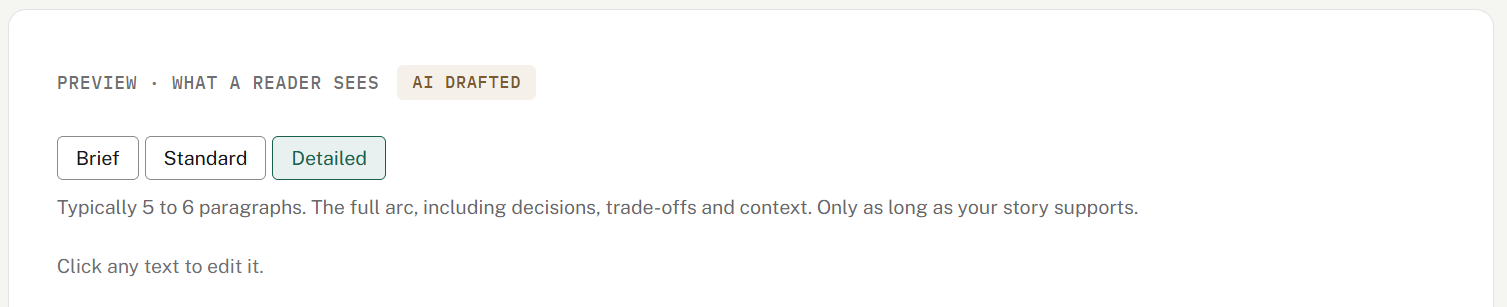
Every AI draft of a variation has a length: Brief, Standard or Detailed. The length decides how much of your story the draft tells, not what it says. A longer version never adds facts, names, numbers, results or quotes that aren't in your story.
The default length
The first draft of a new variation uses its layout's default:
Story: Standard
Outcomes: Brief
Visual: Brief
You don't pick a length when you create a variation. Change it afterward, on the variation.
What each length means
Story layout
Brief: one or two paragraphs. What happened and your part in it, for a reader who's scanning.
Standard: three or four paragraphs. The problem, what you did and what changed, with the details that matter.
Detailed: five or six paragraphs. The full arc, including decisions, trade-offs and context.
Outcomes layout
Brief: the numbers lead, with one paragraph on how it happened.
Standard: two or three paragraphs on how it happened, and a little more on the outcome and what you'd do again.
Detailed: four or five paragraphs on how it happened, for a reader who wants the whole story behind the numbers.
Key results are the same at every length.
Visual layout
Brief: one or two sentences per text block. The images carry it.
Standard: two to four sentences per text block.
Detailed: a full paragraph per text block, for a reader who wants the detail beside each image.
A length changes only the words in the text blocks. Your images, the blocks and their order stay as they are.
In every layout, the headline and the outcome line are the same at every length.
Changing the length
On the variation, the lengths sit beside Try again, with the current one marked. Pick another to redraft at that length. Try again redrafts at the current length, and Polish tidies your wording without making it shorter or longer than its length.
If you've edited the text since the last draft, picking a length asks first, because the new draft replaces your edits. Key results, images and the purpose you gave stay as they are.
While a draft is being written, the lengths and Try again are locked. If it takes more than 5 minutes, the screen unlocks and keeps your text as it was, with a note and Try again.
A variation drafted before lengths arrived has none marked until you pick one.
Switching back doesn't use AI
The last draft at each length is kept on the variation. Switching back to a length you've already drafted brings that draft back at once, without using AI or counting toward your daily limit, so it's easy to compare them.
When you change the story or your Before you share choices, the kept drafts are cleared, and the next switch drafts fresh.
When a story comes up short
A length is a target, not a promise. If your story doesn't have enough in it for Standard or Detailed, the draft comes out shorter, and the page says that's as long as it gets without making things up.
To get a longer version, add more to the story first: what the situation was, what you did, and what changed. Then pick the length again.
Lengths and your daily limit
A new draft at another length counts like Try again: one request toward your daily AI allowance. On Free, Outcomes and Visual variations share one AI draft in total, so a length change there uses it too. When Try again isn't available, for example once you've reached the limit, neither are the lengths.
What readers see
A Folio that's already live keeps showing what you published. A new length reaches readers when you choose Publish changes on that Folio, and the Folio's publish box points out that the variation has changed.
Was this helpful?
Still need help? Ask the team