Notifications: the emails Tailored Folio sends
The emails you can turn off, the ones that always arrive, the ones Featurebase sends, and what we don't send.
Written By Tailored Folio
Last updated About 5 hours ago
Tailored Folio keeps email to a minimum. Two kinds can be turned off: an email about activity on your Folios, and marketing email, which we don't send today. The rest are about your account or something you asked for, and those always arrive. A few, such as replies to your support conversations, come from Featurebase and are managed there. Open Settings, then Notifications.
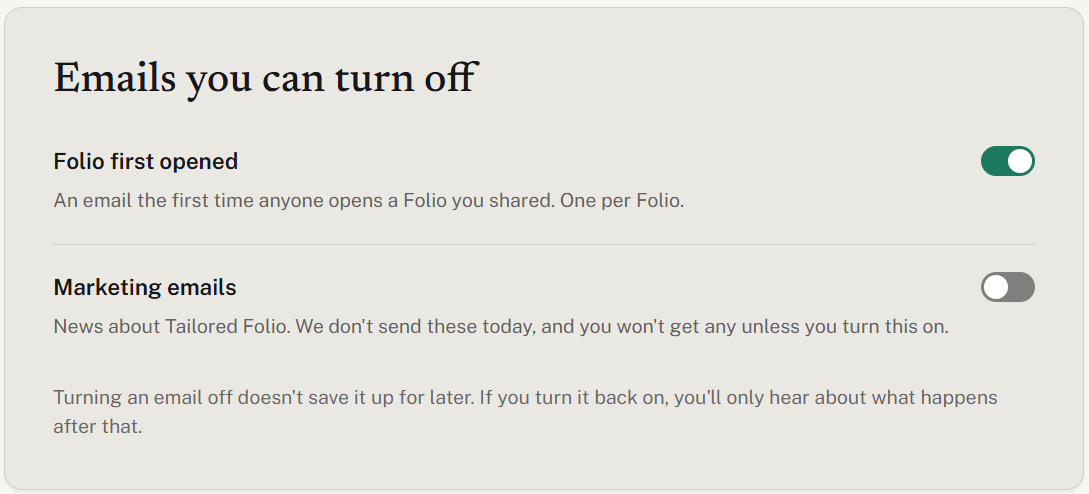
Folio first opened
The first time anyone opens a Folio you've shared, we email you to say so. You get one email per Folio, never more, with the time of that first open.
Opens are counted per visit, never per person, so the email can't tell you who opened it.
A link with a passcode counts as opened only once someone gets past the passcode.
Opening your own share link counts too. To check a Folio without setting off the email, use Preview in the Folio instead of its link; it shows exactly what a reader will see.
It's on unless you turn it off. The switch saves as soon as you flip it.
Turning it off doesn't save emails up for later. If a Folio is first opened while the switch is off, you won't hear about that Folio, even after you turn it back on.
Marketing emails
News about Tailored Folio. We don't send any today. The switch starts off for everyone, so you won't get marketing email unless you turn it on.
Support and product updates
Some emails, such as replies to your support conversations and product updates, come from Featurebase, the service that runs our help center and feedback board. They're managed in Featurebase, not here: choose Manage these emails in Featurebase, which opens its notification settings in a new tab.
Emails we always send
These are about your account, your money or something you asked us to do, so they can't be turned off. Each kind has its own card on the page:
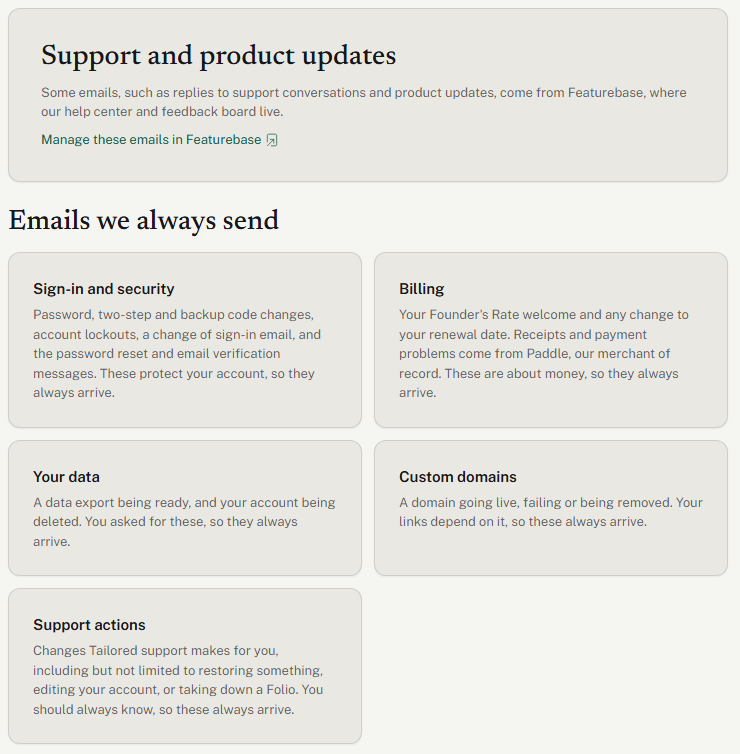
Sign-in and security: your password changing, two-step sign-in being turned on or off, new backup codes or a backup code being used, your account being locked after too many tries, being signed out everywhere, and your sign-in email changing (sent to your old address). The password reset and email verification messages you get when signing in are here too.
Billing: your Founder's Rate welcome, any change to your renewal date, and some of your Folios being turned off when a paid plan ends. Receipts and payment problems come from Paddle, our merchant of record, not from us.
Your data: a data export you asked for being ready, and your account being deleted.
Custom domains (Pro): your domain going live, failing, working again, or being removed.
Support actions: changes Tailored support makes for you, such as restoring something, editing your account at your request, or taking a Folio down.
What we don't send
We don't email you when a link is about to expire, when it reaches its open limit, or each time a Folio is opened again, and there are no daily or weekly summaries. To see activity, open Home: Recent activity lists the latest opens across your share links. There are no in-app notifications.
Managing emails from the email itself
An email you can turn off ends with a Manage notifications button, which opens this settings page after you sign in. Emails we always send say so at the bottom. Our emails come from Tailored Folio; if one doesn't arrive, check your spam folder, then contact us.
Was this helpful?
Still need help? Ask the team