Version history: looking back at a story
What a story's versions keep, when one is made, and how to read an earlier one.
Written By Tailored Folio
Last updated 4 days ago
Tailored keeps earlier versions of each story's writing, so you can look back at what it said before you changed it. Versions are for looking back: you can open and read any of them, but restoring one isn't available yet.
What's kept
A version holds the story's own writing:
the six blocks, or your own text if you chose Bring your own;
Your role, People, Texture and Private notes.
The title, organization, dates, tags and the other details aren't part of a version, and neither are variations or Folios.
When a version is made
Each time you come back to a story after 30 minutes away, what it said when you left is sealed as a version. Tailored doesn't work on a timer: the version is sealed when you next edit the story. Until then, the bottom of the list says which edits aren't sealed yet.
A new story has no versions until you've come back to it once after a break.
Looking at a version
Version history is the last box on the story page. Versions are listed newest first, each with the time span it covers.
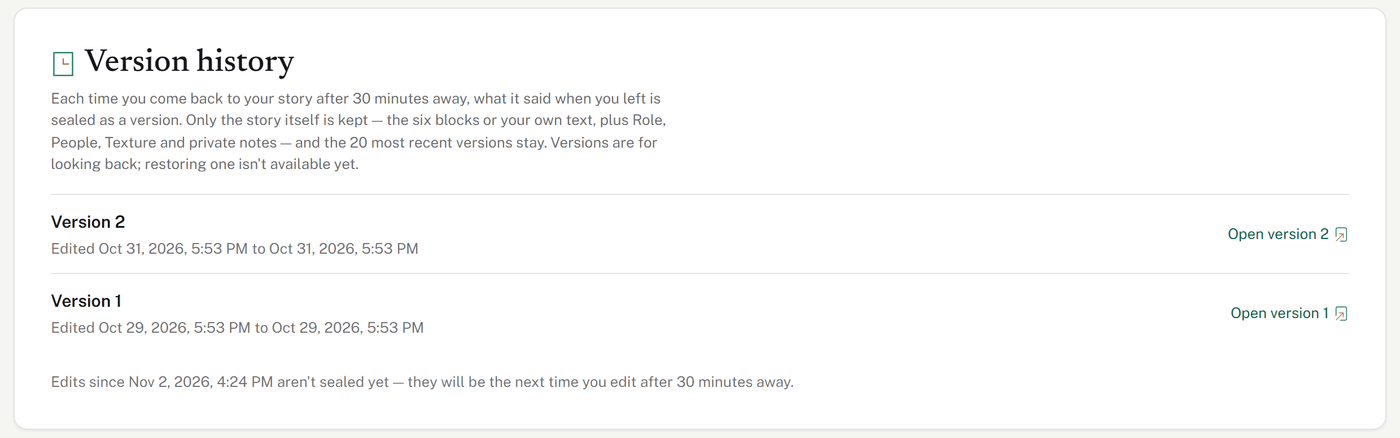
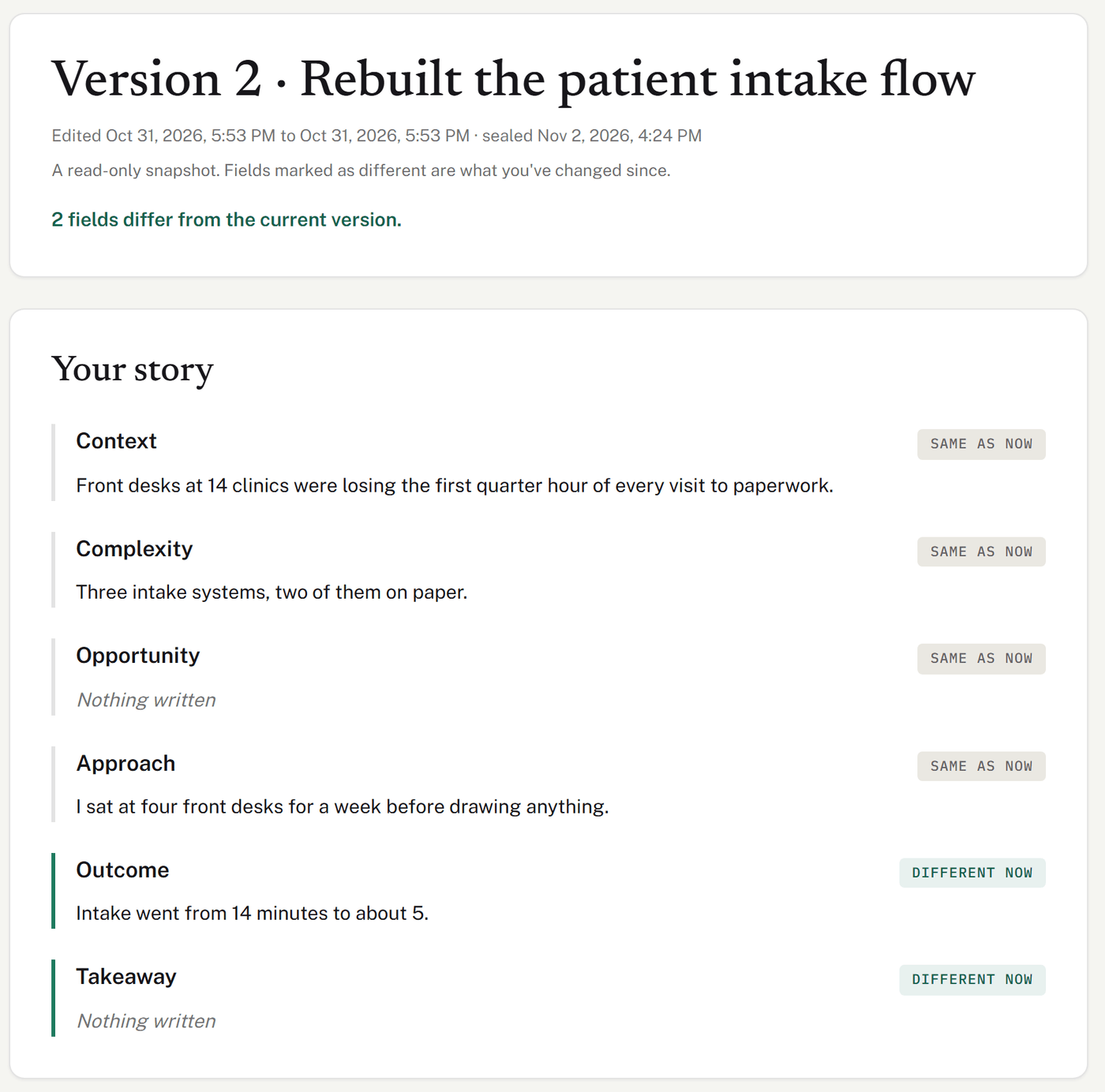
Choose Open version to read one in a new tab. It's a read-only copy. Each part is marked Different now or Same as now, compared with what the story says today, so you can see at a glance what you've changed since.
A version marked Changed by Tailored support records a change our support team made, such as removing hidden characters from the text.
How many are kept
The 20 most recent versions of each story are kept, on every plan. When a new one is sealed, the oldest goes. Versions are numbered in order and keep their numbers.
Archiving a story keeps its versions. Your data export includes every story's versions with their full text.
Getting old wording back
There's no restore button yet. To bring back something you wrote before, open that version, copy the text, and paste it into the story.
Versions and your Folios
Your story's own writing never appears in a Folio. Readers see variations, and a live Folio keeps showing what it was published with until you publish it again. Editing a story, or looking through its versions, doesn't change anything a reader sees.
Was this helpful?
Still need help? Ask the team