Plan & billing: Free, Pro, and paying through Paddle
What each plan includes, upgrading, managing or canceling through Paddle, failed payments and refunds.
Written By Tailored Folio
Last updated About 4 hours ago
Tailored Folio has two plans: Free and Pro. Plan & billing shows what you're on, what it costs and when it renews. Open your avatar menu, then Settings, then Plan & billing. Payments are handled by Paddle, our merchant of record.
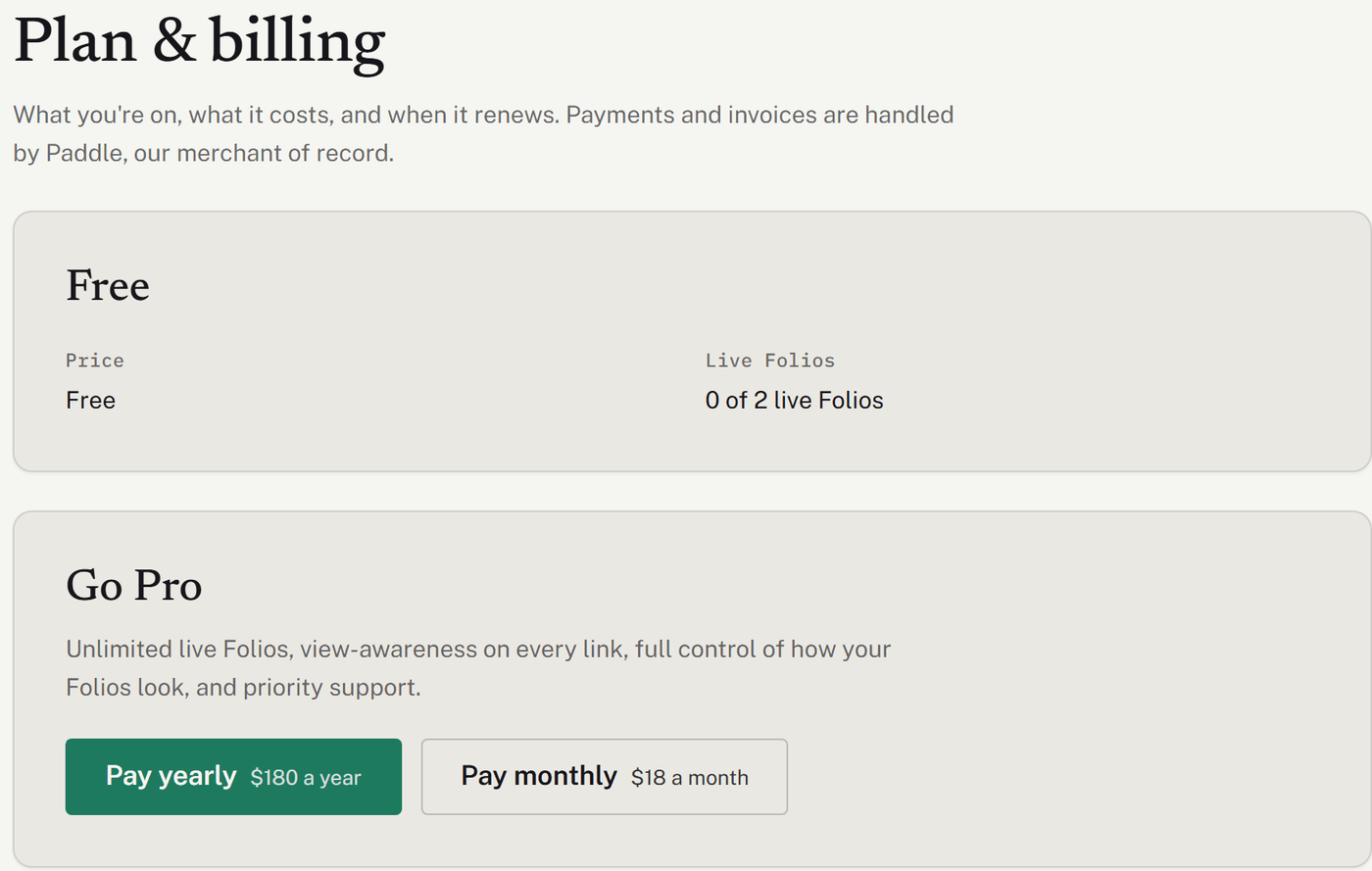
Free and Pro
Pro is $18 a month or $180 a year, in US dollars. Sales tax is added at checkout where required.
Both plans include unlimited stories, files and Network, passcodes and expiry dates on links, the Story layout, the Letter welcome page and your data export.
Pro adds:
unlimited live Folios (Free has two at a time);
unlimited Further reading (Free has 2 pieces on each Folio);
20 GB of file storage (Free has 5 GB);
the extra looks, your own fonts, colors and logo, and no Powered by Tailored Folio line;
the Outcomes and Visual story layouts, and the Career timeline, Overview grid and Evidence matrix welcome pages;
open details and activity for each Folio (Free shows totals);
your own domain for your Folios;
a larger daily allowance for AI help, and priority support.
The pricing page has the full comparison.
Upgrading to Pro
On Plan & billing, choose Pay yearly or Pay monthly.
Paddle's secure checkout opens. Enter your payment details there; Tailored Folio never sees your card.
When the payment goes through, you come back to Plan & billing. It can take a few seconds to show Pro. If it still says Free after a minute, refresh, and contact us if it doesn't change.
Everything in Pro is available as soon as the page shows it.
Discount codes. Paddle's checkout has a place to enter one. If you followed a link with a code in it, the code is applied when checkout opens, and Plan & billing shows which deal it is. A discount applies to your first payment; renewals are at the regular price.
Managing your subscription
Once you're on Pro, choose Manage subscription in Paddle. It opens Paddle's customer portal in a new tab, where you can:
update your card;
download invoices and receipts;
cancel.
The portal can't switch you between monthly and yearly. To switch, contact us and choose Billing, payments & refunds, and we'll make the change for you. Plan & billing says the same under the button.

Canceling
When you cancel, Pro carries on until the end of the period you've paid for, and Plan & billing shows the date it ends. Changed your mind? Choose Keep my subscription before then, and it renews as usual.
When Pro ends, your workspace goes back to Free. Nothing is deleted:
Live Folios: your two most recently published stay live, and the rest are turned off. We email you if any are. You can publish them again later.
Further reading: readers keep seeing what you published. On a Folio with more than 2 pieces, you can't add more or publish changes until it has 2 or fewer.
Looks and layouts: Folios using Pro looks or layouts show in a free look, with the Letter and Story layouts. Your choices are saved, and come back when you upgrade.
Custom domain: your Folios move back to share.tailoredfolio.com. We keep your domain set up for 30 days, so it works again without any DNS changes if you come back to Pro before then.
Files: everything stays. If you're over Free's storage, you can't upload more until you're under it.
If a payment fails
Plan & billing shows Payment failed and the date payment is due by. You have two weeks: nothing changes in the meantime. Choose Update payment method in Paddle to fix it. If it isn't paid by that date, the workspace goes back to Free, as described above. Paddle may also email you about the failed payment.
Refunds
If you ask within 14 days of your first payment or a renewal, monthly or yearly, you get a full refund. A refund ends Pro. After those 14 days, canceling doesn't refund the rest of a period you've already paid for. The Refund Policy has the details and the exceptions. To ask for one, contact us and choose Billing, payments & refunds.
Founding members
If you joined as a founding member, Plan & billing shows your member number and your Founder's Rate. That rate is yours for as long as your subscription stays active. If you cancel and later come back, the regular price applies.
Switching between monthly and yearly would also end your Founder's Rate, so Plan & billing doesn't offer it to founding members. If you're thinking about switching, contact us first and we'll talk it through.
Was this helpful?
Still need help? Ask the team